How to find your unique monthly visitors on Shopify
Most Shopify merchants don't know their unique monthly visitor count. Here are three ways to find it — pick whichever you have access to.
Quick definition
A unique visitor = one person (device) in a given month. If the same shopper visits 5 times, that's 1 unique visitor, not 5.
| Metric | What it counts |
| Unique visitors | Individual people — deduplicated |
| Sessions | Every visit, including repeats |
| Page views | Every page load across all visits |
Your unique visitors are typically 50–70% of your session count. Don't confuse the two.
Option A: Shopify Admin
Not available on the Starter plan of Shopify. Use Option B or C instead.
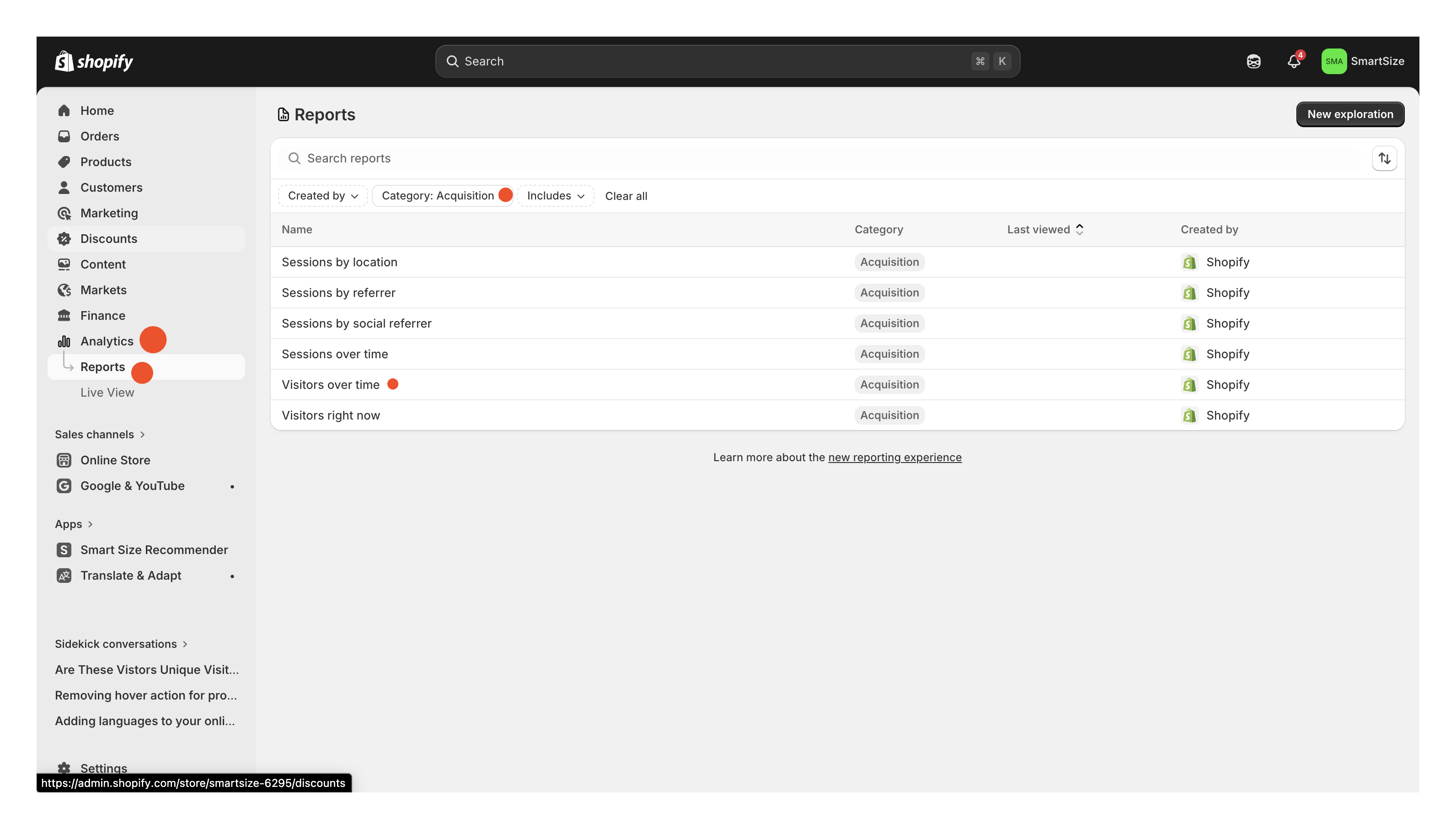
- Go to Shopify Admin → Analytics → Reports
- Filter by Category → Acquisition and open "Visitors over time"
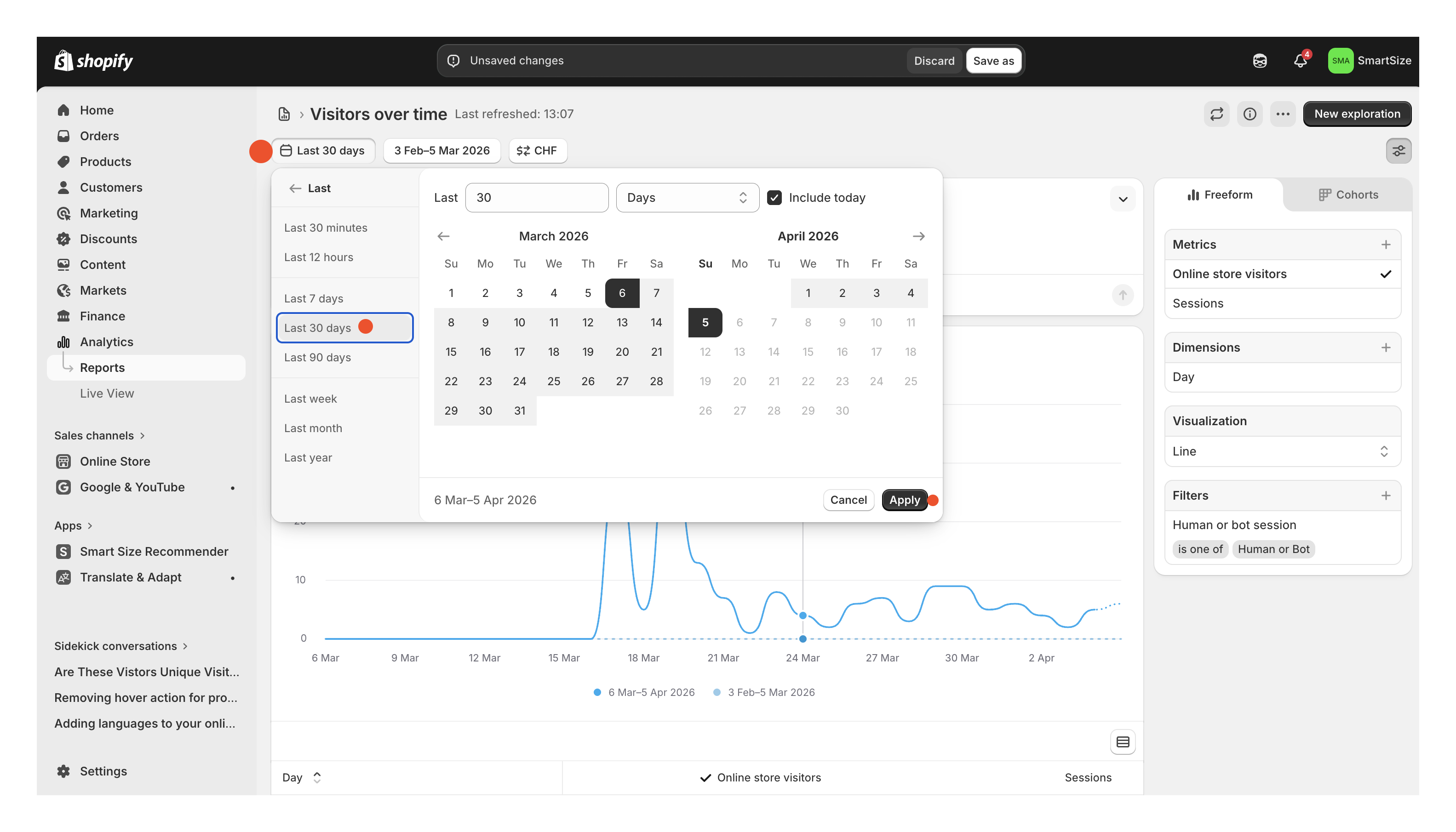
- Set the date range to Last 30 days
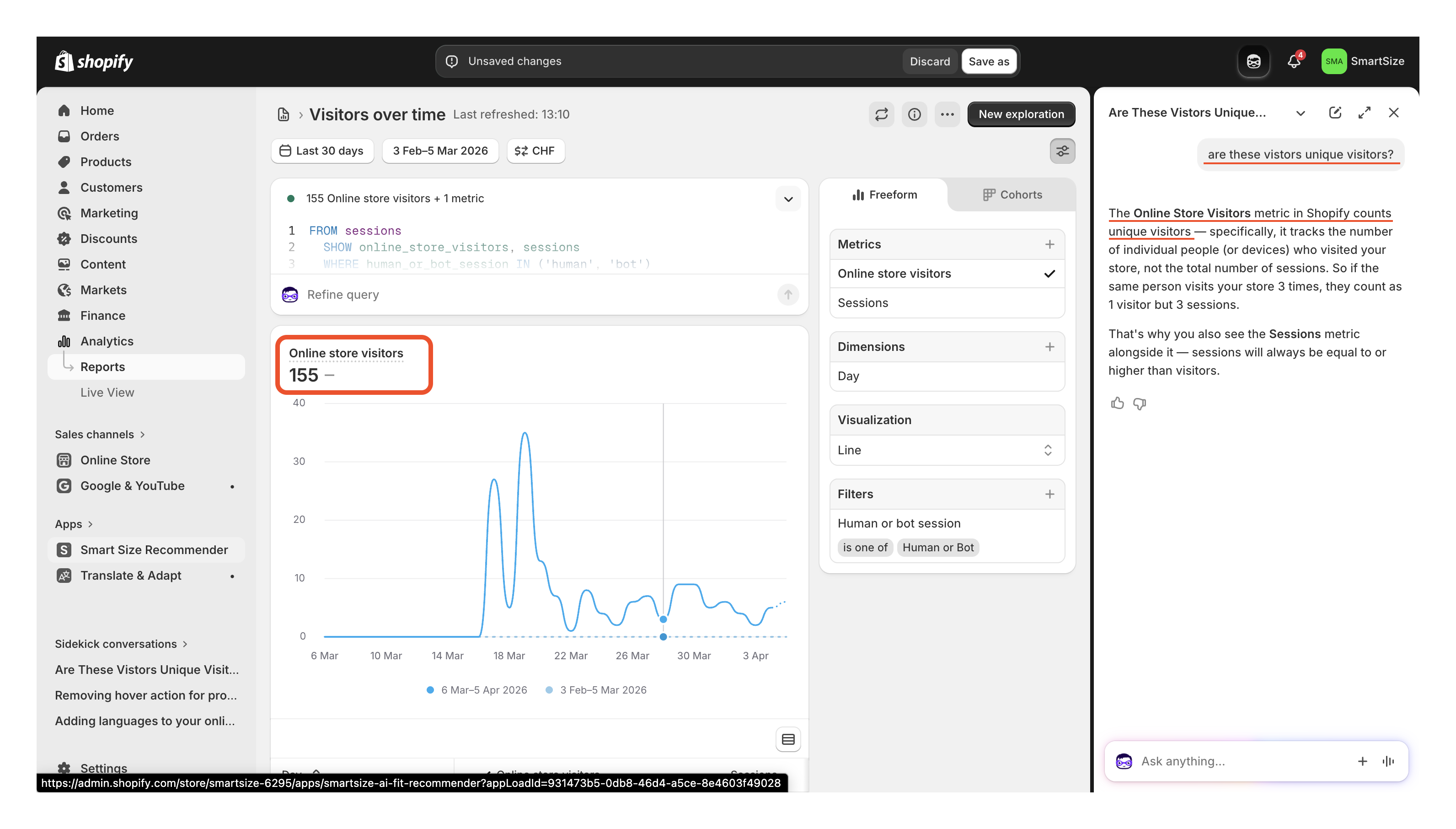
- Read the "Online store visitors" total — that's your unique visitor count
Option B: Analytics tools
If you use any analytics tool, unique visitors is usually the primary metric on the dashboard:
| Tool | Where to look | Free? |
| Google Analytics (GA4) | Reports → Acquisition → "Users" | ✅ Free |
| Plausible | Dashboard → "Unique visitors" (top of page) | 30-day trial |
| Fathom | Dashboard → "Unique visitors" | From $14/mo |
| Mixpanel | Insights → "Unique Users" | Free tier |
| Clicky | Dashboard → "Unique visitors" | Free tier |
| Matomo | Dashboard → "Unique visitors" widget | Self-hosted free |
GA4 tip: Use the "Users" metric, not "Sessions" or "New users." If you haven't set it up yet — create a free account at analytics.google.com, copy your Measurement ID (starts with G-), paste it in Shopify Admin → Online Store → Preferences, and save. Data starts flowing in 24–48 hours.
Option C: Estimate from your order count
No analytics? Use this standard e-commerce formula:
Unique visitors ≈ Monthly orders ÷ Conversion rate
The average Shopify conversion rate is 1.4–1.8% according to Littledata's benchmark of thousands of Shopify stores. Using 2% as a round midpoint gives a conservative estimate:
| Monthly orders | Est. unique visitors |
| 10 | ~500 |
| 25 | ~1,250 |
| 50 | ~2,500 |
| 100 | ~5,000 |
| 250 | ~12,500 |
| 500 | ~25,000 |
| 1,000 | ~50,000 |
Find your order count in Shopify Admin → Analytics → Overview → Total orders (last 30 days).
This is a rough estimate based on industry benchmarks. For exact numbers, use Options A or B.
Frequently asked questions
How do I check my unique visitors on Shopify?
Analytics → Reports → Visitors over time → Last 30 days. Available on Shopify Basic and above. On the Starter plan, use Google Analytics or another analytics tool.
What's the difference between sessions and unique visitors?
Sessions count every visit. Unique visitors count individual people. One shopper visiting 5 times = 5 sessions, 1 unique visitor. Unique visitors are typically 50–70% of sessions.
Can I estimate unique visitors from my order count?
Yes. Divide monthly orders by 0.02. A store with 100 orders has roughly 5,000 unique visitors. This is based on Littledata's Shopify conversion rate benchmark of 1.4–1.8%.
Which Shopify plans include the "Visitors over time" report?
Basic, Shopify, Advanced, and Plus. Not Starter.
Why this matters for SmartSize pricing
Transparency is a core value for us. SmartSize plans are based on unique monthly visitors, and we show you every single monthly count since the day you installed SmartSize — right on your app home page. No hidden numbers, no surprises. You always see exactly what we see.
How we count: Each shopper is counted once per month, regardless of how many times they visit or how many size recommendations they request. A returning customer who checks sizing on 10 products in a single month still counts as 1 unique visitor. Every visitor gets unlimited size recommendations for the entire month.
One visitor, one count, unlimited value.
| Plan | Unique visitors/mo | Price/mo | Per extra visitor |
| Free | 50 | Free | — (hard cap) |
| Lite | 250 | $29 | $0.12 |
| Starter | 500 | $49 | $0.10 |
| Growth | 1,000 | $89 | $0.09 |
| Pro | 2,500 | $199 | $0.08 |
| Enterprise | 5,000 | $249 | $0.06 |
| Titan | 10,000 | $499 | $0.05 |
Not sure where you fall? Start with the free plan — 50 visitors/month, all features, no credit card. Upgrade when your data tells you to.
Questions? Reach out at [email protected].